Appearance
Working with apps
Apps add complex, often data-driven functionality to the Lumicast player. Integrations include YouTube, LinkedIn, RSS feeds, Google Calendar, Microsoft Teams, and more. They make your displays a lot more informative, quickly.
For a full list of apps and their settings see Apps.
Creating an app
Go to Content > New > App and pick the app you want to create — for this example the RSS feed app. It opens with default data so you can immediately see what it will look like.
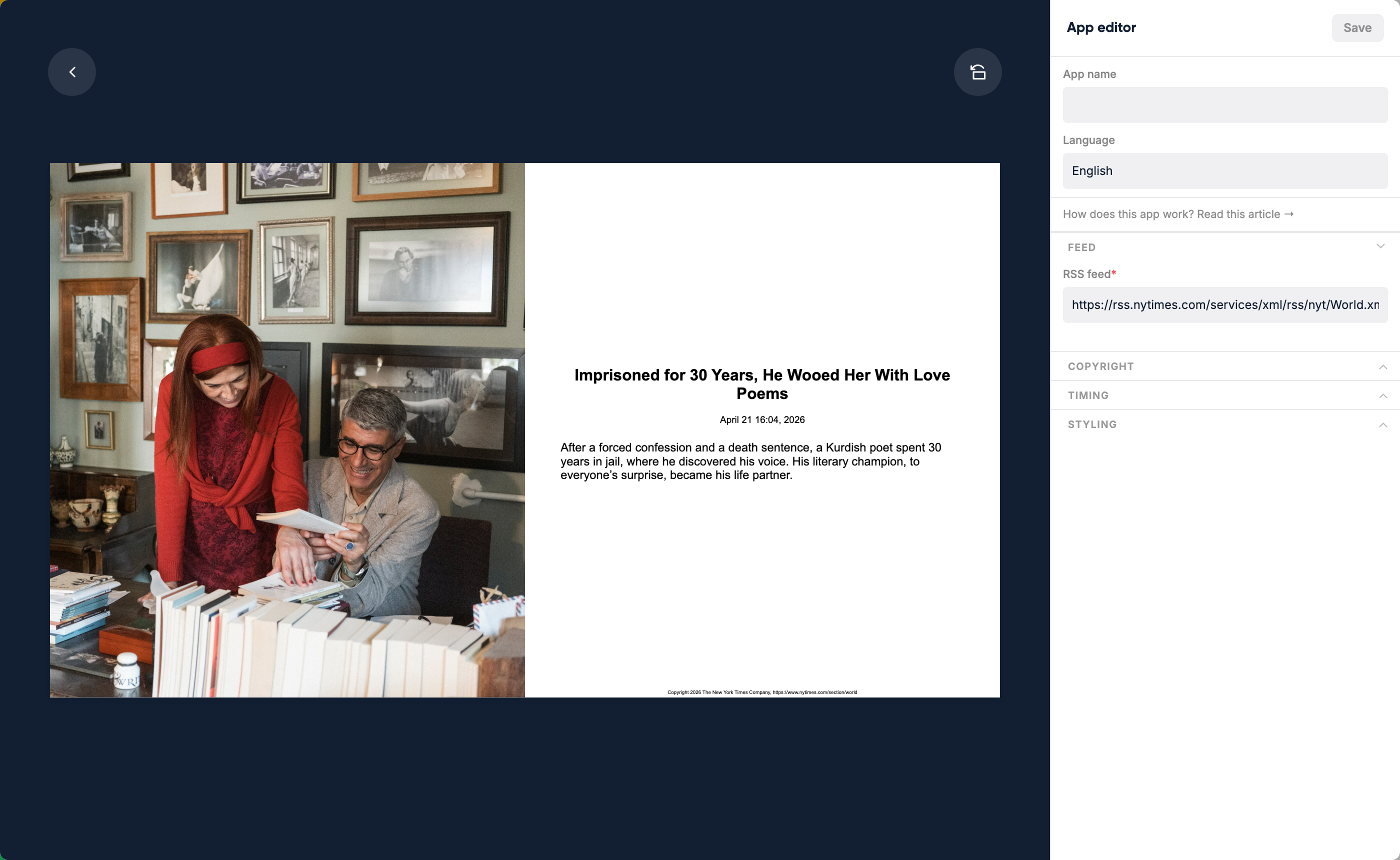
On the right you change the variables that build up the app. On the left you see changes update in real time. Play around until it fits your situation.
Some apps have a link at the top: "How does this app work? Read this article". Click it when you need help with a specific setting.
Using an app
After creating an app, you can use it inside pages or assign it directly to displays.
Editing an app inside a page
When you add an app to a page, you can position it freely. If the app needs tweaking, edit it from within the page — you stay in the context of the page and don't need to jump away.
Suggesting new app ideas
Got an idea for a new app? Send an email to [email protected] with your suggestion and some reasoning.