# Page Animations
Page animations let you animate individual elements into the page when the page first appears on screen — bringing it to life beyond a static layout.
## Adding an animation to an element
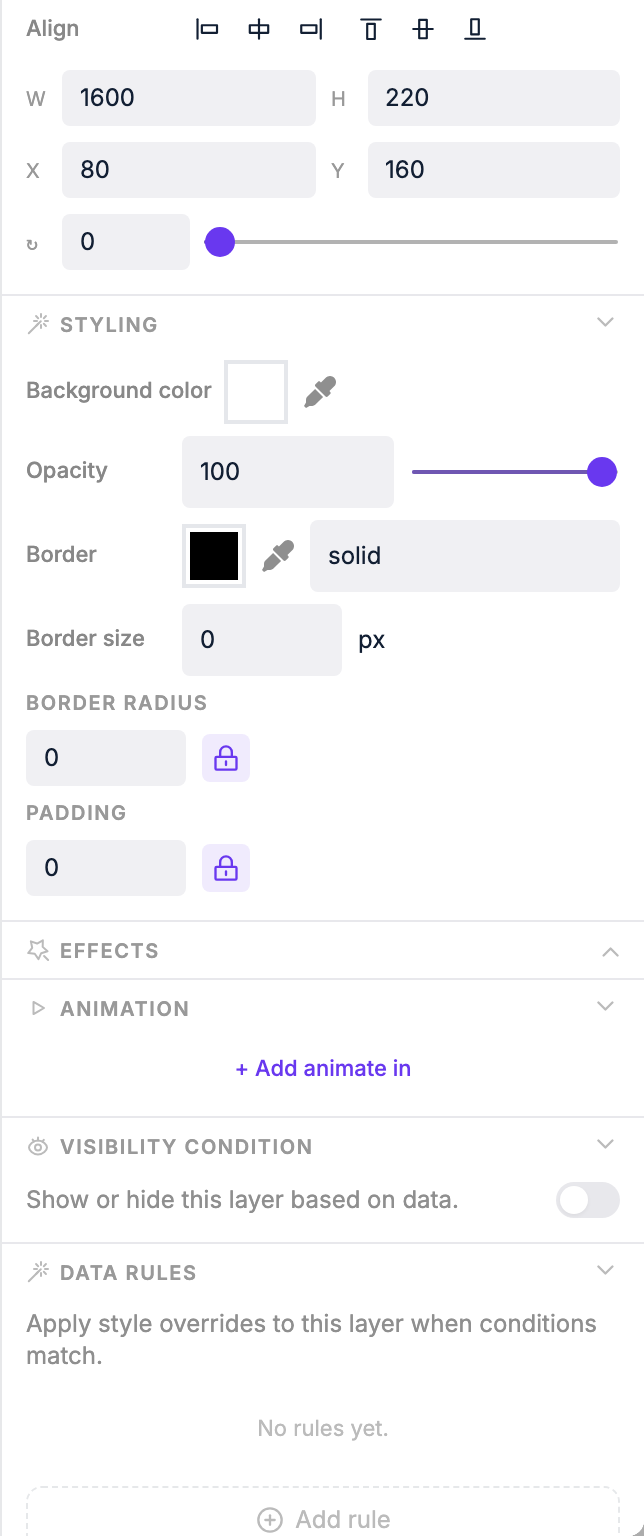
1. Open a page in the [Page Editor](/features/page-editor)
2. Click any element (text, image, shape, etc.)
3. In the right panel, click **Add animate in**
4. Choose an animation type — changing the type replays the animation immediately so you can preview it
 ## Animation settings
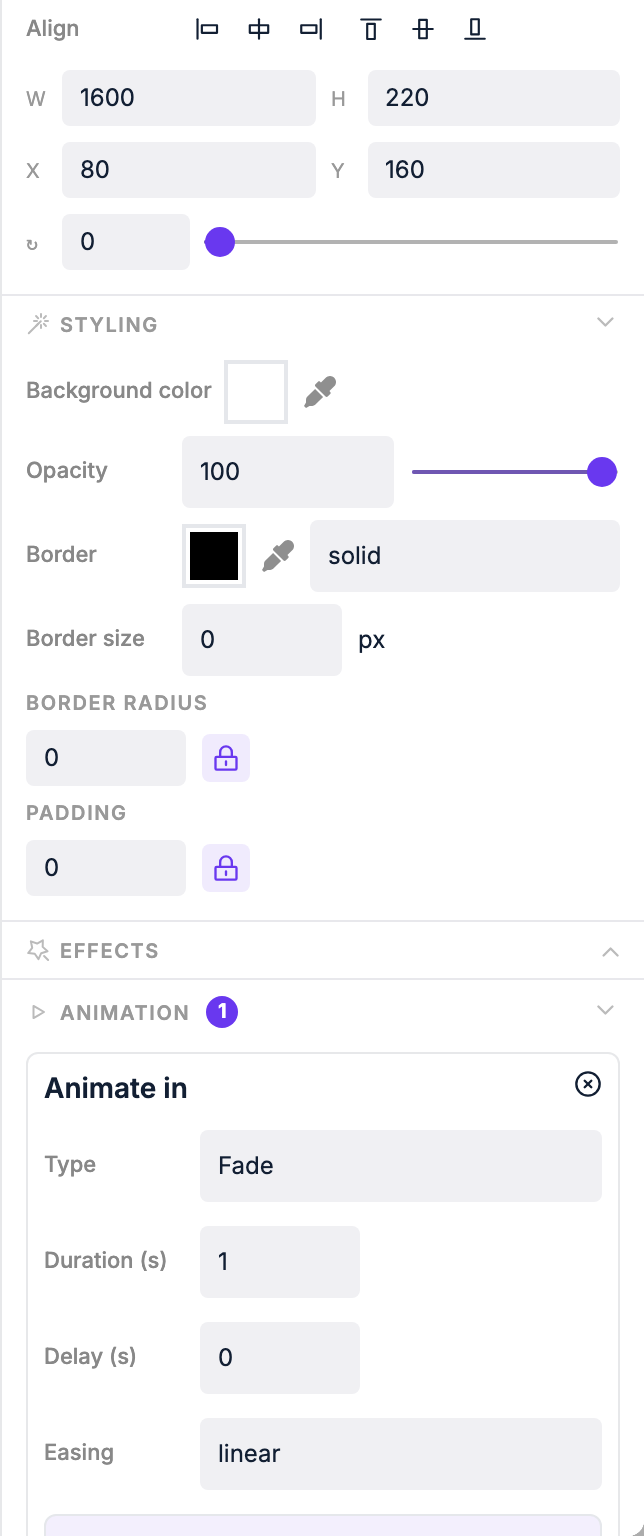 | Setting | What it does |
|---|---|
| **Type** | The animation style (see options below) |
| **Duration** | How long the animation takes |
| **Delay** | How long to wait before the animation starts |
| **Easing** | The acceleration curve: linear, ease, ease-in, ease-out, ease-in-out |
| **Initial values** | Advanced: set starting CSS values to combine multiple effects |
### Animation types
| Type | Effect |
|---|---|
| **Fade** | Element fades in from transparent |
| **Scale** | Element scales up from a smaller size |
| **Slide Left** | Element slides in from the right |
| **Slide Right** | Element slides in from the left |
| **Slide Top** | Element slides in from the bottom |
| **Slide Bottom** | Element slides in from the top |
| **Bounce Left** | Element bounces in from the right |
| **Bounce Right** | Element bounces in from the left |
| **Bounce Top** | Element bounces in from the bottom |
| **Bounce Bottom** | Element bounces in from the top |
### Combining animations
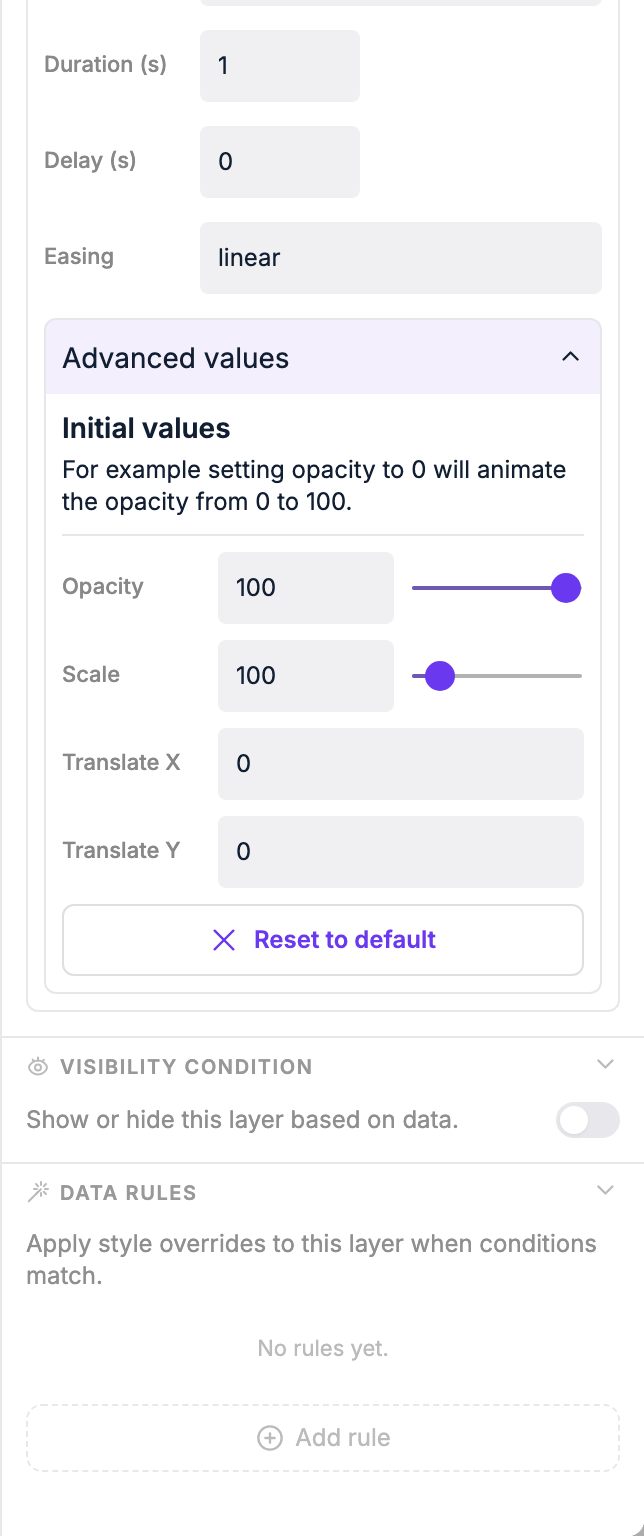
Using initial values you can stack effects. For example: set animation type to **scale** and set initial opacity to `0` — the element will both scale in and fade in at the same time.
Expand **Advanced values** on the animation panel to reveal opacity, scale, and translate inputs for the element's starting position.
| Setting | What it does |
|---|---|
| **Type** | The animation style (see options below) |
| **Duration** | How long the animation takes |
| **Delay** | How long to wait before the animation starts |
| **Easing** | The acceleration curve: linear, ease, ease-in, ease-out, ease-in-out |
| **Initial values** | Advanced: set starting CSS values to combine multiple effects |
### Animation types
| Type | Effect |
|---|---|
| **Fade** | Element fades in from transparent |
| **Scale** | Element scales up from a smaller size |
| **Slide Left** | Element slides in from the right |
| **Slide Right** | Element slides in from the left |
| **Slide Top** | Element slides in from the bottom |
| **Slide Bottom** | Element slides in from the top |
| **Bounce Left** | Element bounces in from the right |
| **Bounce Right** | Element bounces in from the left |
| **Bounce Top** | Element bounces in from the bottom |
| **Bounce Bottom** | Element bounces in from the top |
### Combining animations
Using initial values you can stack effects. For example: set animation type to **scale** and set initial opacity to `0` — the element will both scale in and fade in at the same time.
Expand **Advanced values** on the animation panel to reveal opacity, scale, and translate inputs for the element's starting position.
 ## Previewing animations
After changing duration or delay, the animation doesn't replay automatically. Click the **Play animation** button at the bottom of the screen to replay all animations on the page at once.
## Resetting
Click **Reset to default** to clear any custom initial values and start fresh.
::: tip
Animations may not play on low-end devices (like some SOC displays). Test on your target hardware if smooth animations are important.
:::
## Previewing animations
After changing duration or delay, the animation doesn't replay automatically. Click the **Play animation** button at the bottom of the screen to replay all animations on the page at once.
## Resetting
Click **Reset to default** to clear any custom initial values and start fresh.
::: tip
Animations may not play on low-end devices (like some SOC displays). Test on your target hardware if smooth animations are important.
:::